![Registry-Direct_horizontal_white.png]](https://info.registrydirect.com.au/hs-fs/hubfs/Registry-Direct_horizontal_white.png?height=43&name=Registry-Direct_horizontal_white.png)
For securities which are unit trusts, authorised representatives of issuers can generate and distribute a periodic statement for investors that have exited the register in any of the last six quarters. The statements contain the transaction history and performance of the investment since the end of the last financial year until the exit.
Once generated, the representative can view a PDF document containing all the statements to be issued. Upon review, if their is missing or incorrect data, the data can be updated and the reports regenerated as often as required. Once satisfied, the system allows the representative to email the reports to all security/unit holders whose email is recorded. For security/unit holders whose email is not recorded, the system generates an additional PDF document containing the statements for these holders for posting or other action by the issuer.
Before generating the reports, please ensure the exit price of the security/unit as at the end of the financial year prior to the quarter selected has been uploaded onto the system. Failure to have the correct price uploaded will result in erroneous information in the statements. To learn how to upload prices click here Upload security price data.
To generate periodic exit statements:
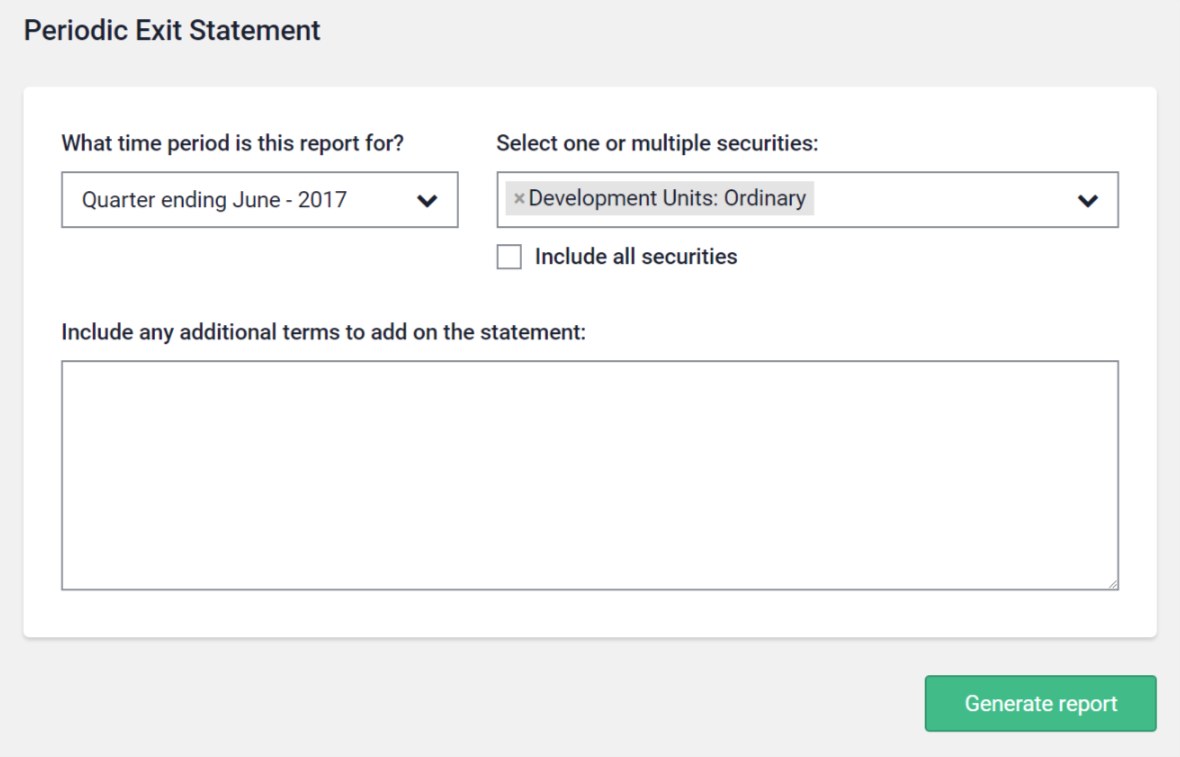
- From the menu, go to Fund admin and click Periodic Exit Statements. Note that this menu item is only available if for issuers who have unit trust securities.
- Under What time period is this report for? select the financial quarter.
- Select the security from Select one or multiple securities, or tick the Include all securities checkbox.
- Under Statement to include in the printed report you can enter any additional text that you would like to appear on the statements.
- Click Generate report. The system will then generate the statements for review. At this stage the statements will not be emailed to investors. The statements may take a few minutes to generate so please be patient!
To review and email periodic exit statements:
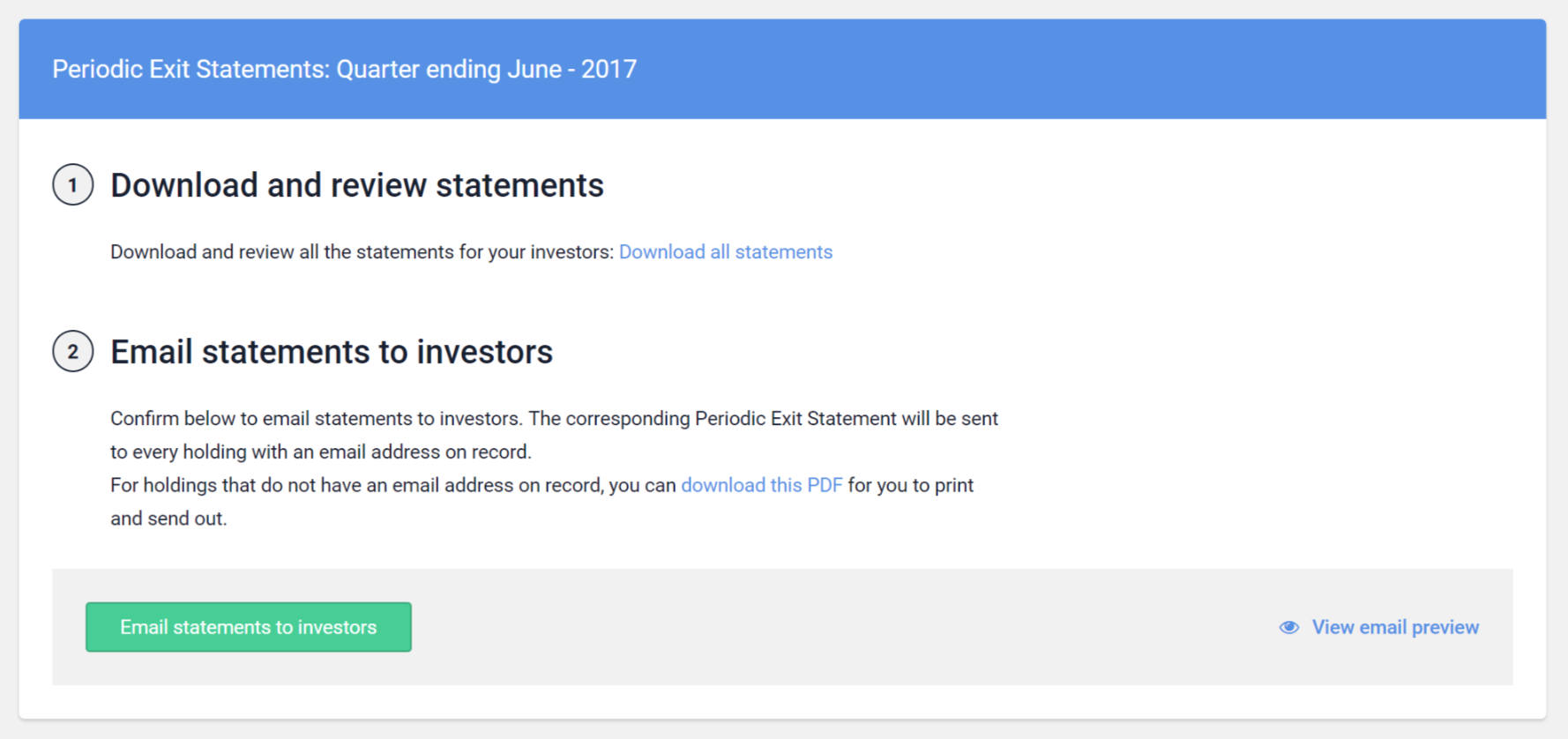
- Review the statements by clicking on "Download all statements".
- If any information is incorrect or missing, update the information on the system and re-generate the statements.
- Once satisfied the reports are complete and accurate, email the reports to relevant investors by clicking on "Email statements to investors".
- If there are any relevant investors whose email address is not recorded, a sentence saying "For holdings that do not have an email address on record, you can download this PDF for you to print and send out" will be visable. Click on "download this PDF" to download this document.